
grannygranny

macOS 14+ · native Swift · AGPL-3.0

Work first.Play after.

She asks what you are doing today, blocks the entertainment while the list is open, and unlocks the fun only when it is done.

Free and open source · No account · Bring your own keys
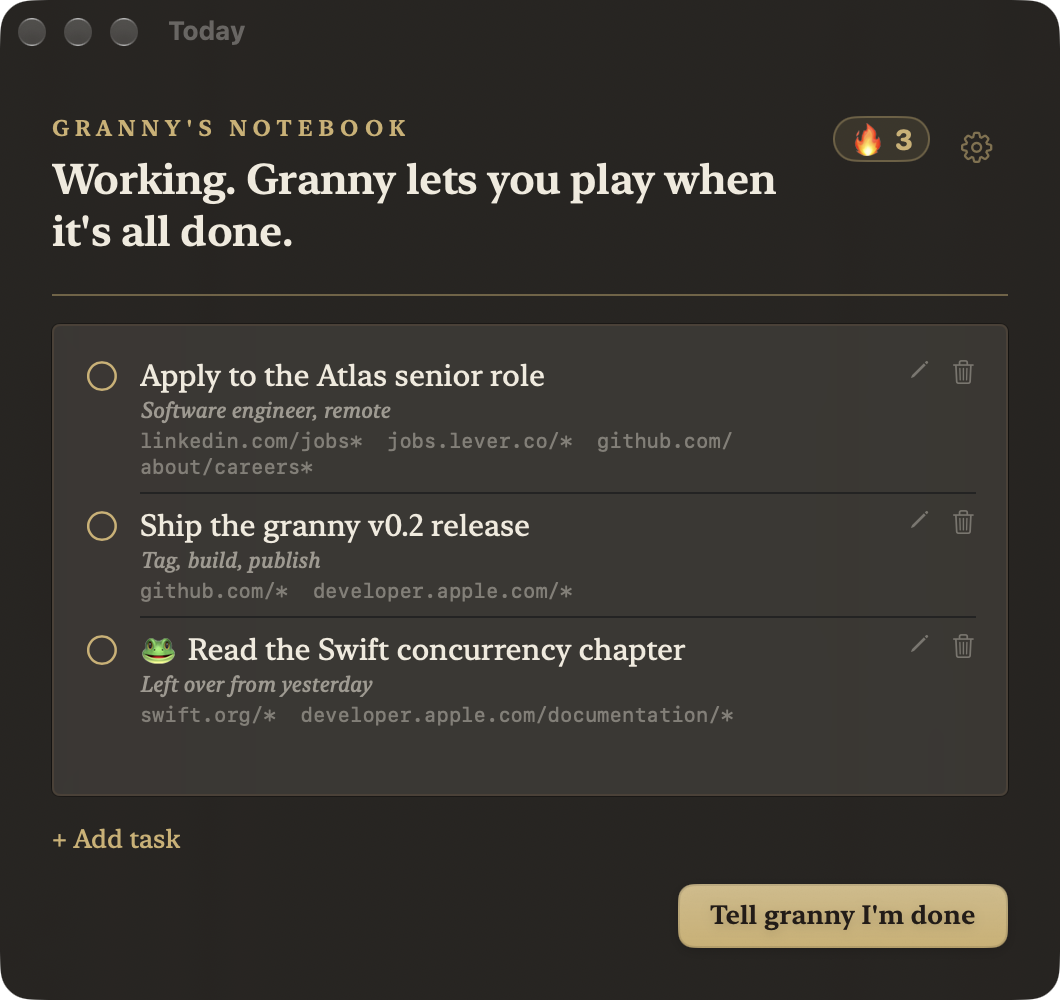
granny's notebook showing today's tasks, the streak badge and their allowed URL surfaces
The notebook: today's tasks, each with the URLs that serve it

Why granny

When you were little, she kept you.

Sweets and games - after the homework.

You grew up. The deal didn’t.

3 tiers
destiny

rules, classifier, model

4 layers
enforcement

hosts, extension, janitor, killer

5 s
app sweep

entertainment apps, closed

microseconds
rules tier

known red flags, no network

BYOK
AI keys

OpenRouter, Laya, Jev - optional

AGPL-3.0
licence

read it, change it

Every navigation is judged by content, cached per URL, and written to the decision log.

01 · The day cycle

A day with granny. She runs the clock.

07:00 · intake
She asks for the list. Each line becomes a task with its URLs.
All day · blocks on
Facebook, Instagram, TikTok, porn and game portals die at the network layer.
List done · reward
Blocks lift until bedtime. Unfinished tasks return tomorrow wearing a frog.
23:00 · bedtime
Blocks return. She nags about sleep, too.
Any day · day off
One confirming question, no blocks, the chain frozen.
🔥 streak
A day banks when it ends with no frog left behind. Two clean days and the flame shows.

02 · Content-aware

She knows the difference. A hard list cannot.

Same domain, different page. granny reads the page.

allowedA full YouTube video

blockedYouTube Shorts

allowedFocus music on YouTube

negotiableA movie on YouTube (extension)

allowedA tutorial

negotiableA vlog (extension)

Tasks carry their own allowed surfaces, so work can open a blocked site. A doubtful page is asked about, not shut.

03 · The engine
Four layers, one verdict. Fast when it can be, careful when it must be.

1 · rules
Known red flags in microseconds. Offline, always on.
2 · classifier
Laya - or Jev - reads the page and answers in a typed verdict.
3 · model
DeepSeek writes the intake and covers the unsure cases.
4 · enforcement
Hosts, extension, janitor, killer - one verdict, four hands.
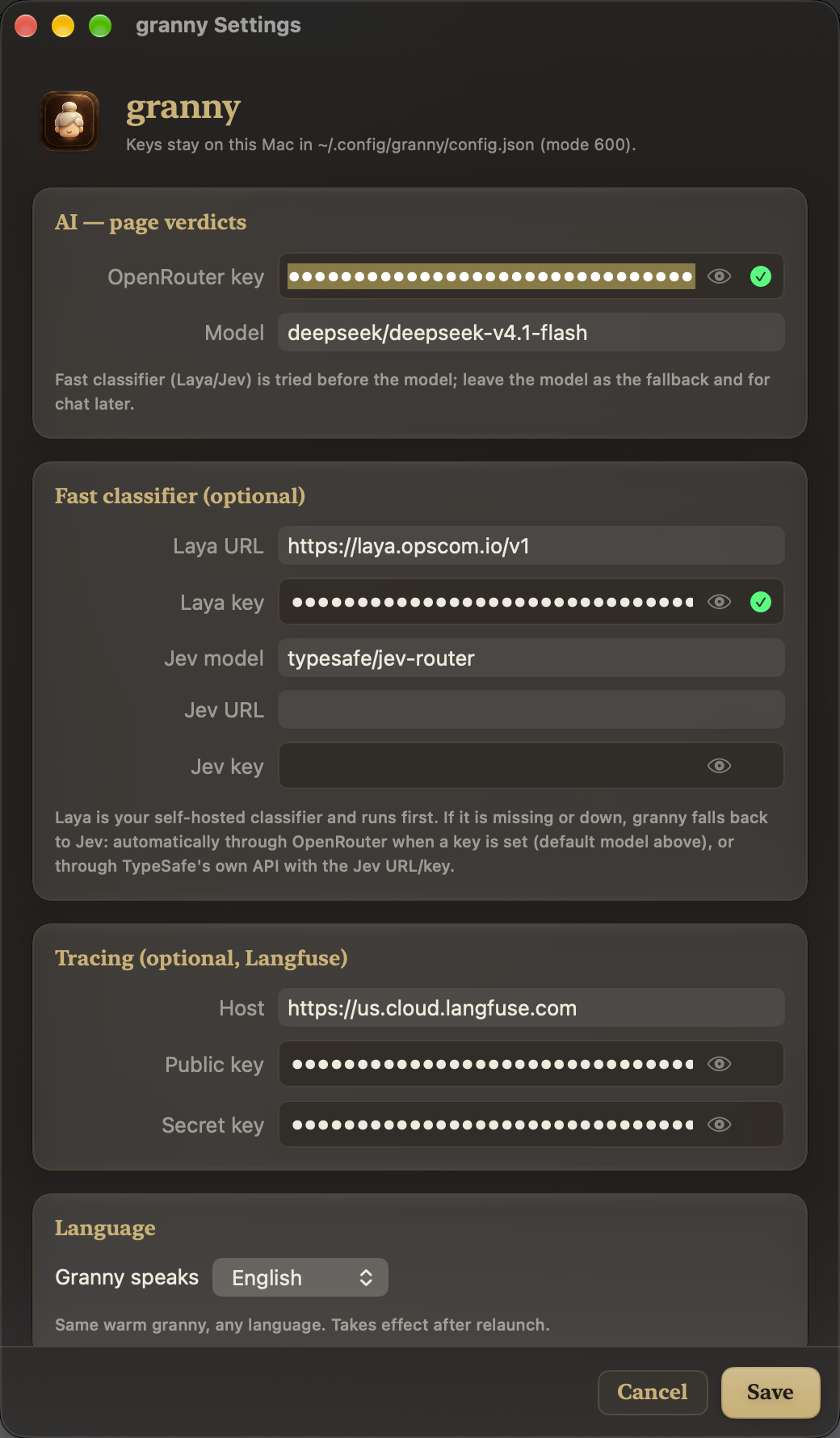
granny's Settings window: keys, classifier, tracing, language and watchlists
Settings: keys, classifier, tracing, language, watchlists

Current supported browsers

  • Safari
  • Google Chrome

More are on the way.

04 · No pretending

She is honest about her limits. That is the point.

sudo exists
You can always bypass her. She makes it loud and slow instead.
Safari caches
Only Safari can purge its own stores - the extension does it on block.
Private Relay
A tunnel opened before the block survives. She blocks the ingress and tells you.
Fail open
Daemon down? The hard list still blocks; nothing else does.

05 · BYOK

Your keys. Your machine. No account.

Local by default
127.0.0.1 only. The extension pairs over loopback - no token to paste.
AI optional
No keys? rules still run. Keys? page context goes to your provider, nothing else.
Config stays home
~/.config/granny/config.json, mode 600. The helper owns /etc/hosts and nothing else.

Optional tiers

  • OpenRouter - intake and the fallback model.
  • Laya or Jev - the classifier.
  • Langfuse - traces, if you want them.

Pasted once in Settings, checked live, stored locally.

06 · Install

Install it. She will take it from there.

Homebrew

brew tap happyvoxel/tap
brew install --cask granny

Not notarised yet - right-click Open once if macOS hesitates.

Then, honestly

  1. 1. Approve the admin prompt once - the helper takes /etc/hosts.
  2. 2. Two toggles stay manual: Safari’s checkbox, Chrome’s Load unpacked.
  3. 3. Paste keys, or don’t - she works either way.

Free. No licence, no trial. Sponsor if she earns it.

08 · Questions

Asked, answered. No marketing voice.

Install it. Tell her what you are doing today.

Or one line

brew install --cask happyvoxel/tap/granny

macOS 14+, Apple silicon or Intel. She is waiting.